 Flux
Flux
Code applied
Anyone can learn to manage money. Two minutes a day, with Flo.
Few of us are ever taught how to manage money, and we talk about it even less. Flux turns it into a two-minute daily habit: you see what you can spend today, you log your expenses in two taps, and a short lesson teaches you something useful. Flo, the water drop, cheers every bit of progress and never lectures you.
Free, no account, no email. The iPhone app comes out on November 17. If you pre-order it, it will install itself that day. Until then, open Flux in Safari, then Share > Add to Home Screen.
Two minutes a day
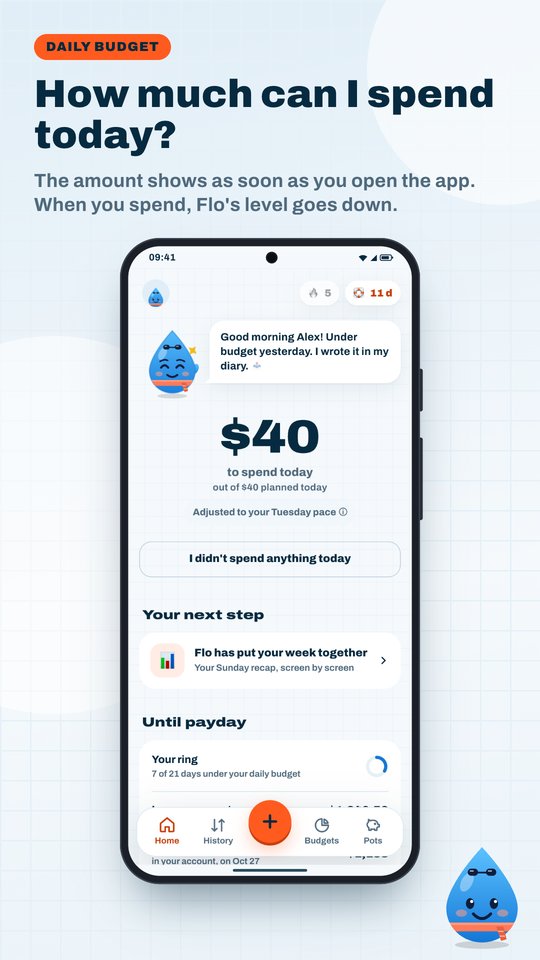
One number every morning
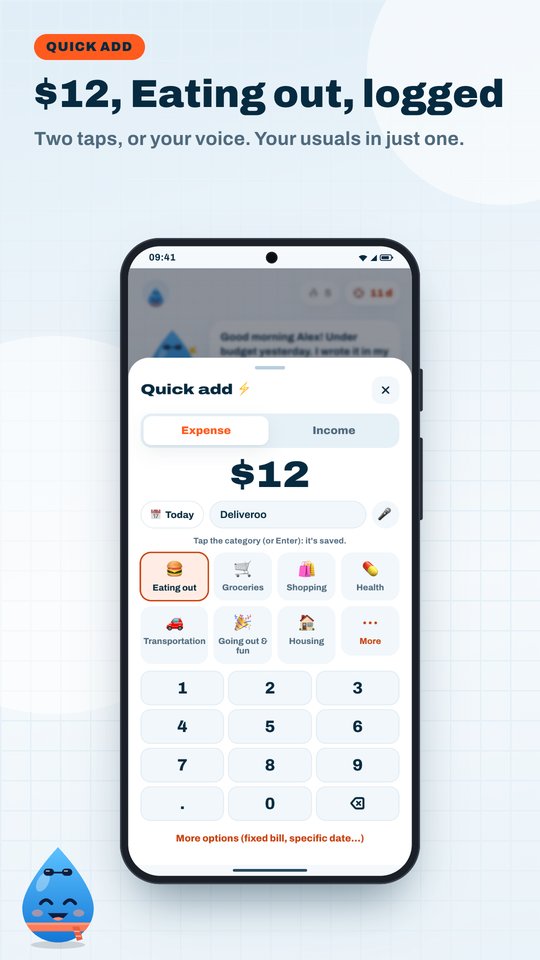
Flux sets aside your fixed bills and your savings, then spreads the rest until your next paycheck. You know what you can spend today, and you log an expense in two taps.
A two-minute lesson
Your path has 14 short lessons: where your money goes, making it to the end of the month, building a cushion, getting through the holidays and the sales. One question at the end, with no grade, then one action in your own budget.
Progress that stays
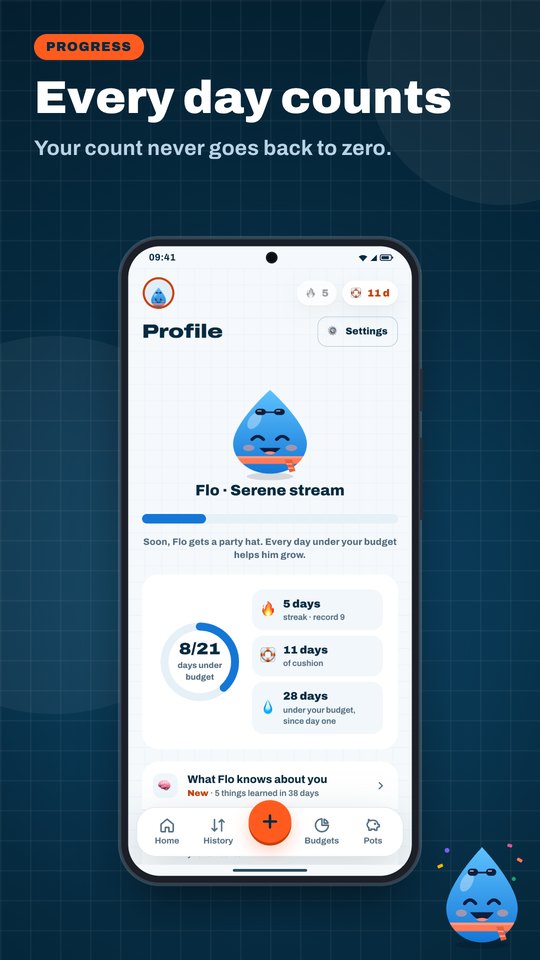
Every day under your budget adds to a total that never goes back to zero, even after a slip. Your streak has freezes and pauses while you're on vacation. Your safety cushion is counted in days.
Flo, minus the lecture
Flo is a water drop who is far too proud of you. He cheers your records and doesn't judge what you buy. He also learns your habits, on your phone only, and shows you everything he has picked up.
What it looks like
Free, forever
Free
- Everyday budgeting: daily budget, unlimited logging, fixed bills
- Every lesson in Your path
- CSV statement import, history, export of your data
- Reminders, pay period ring, records and streak
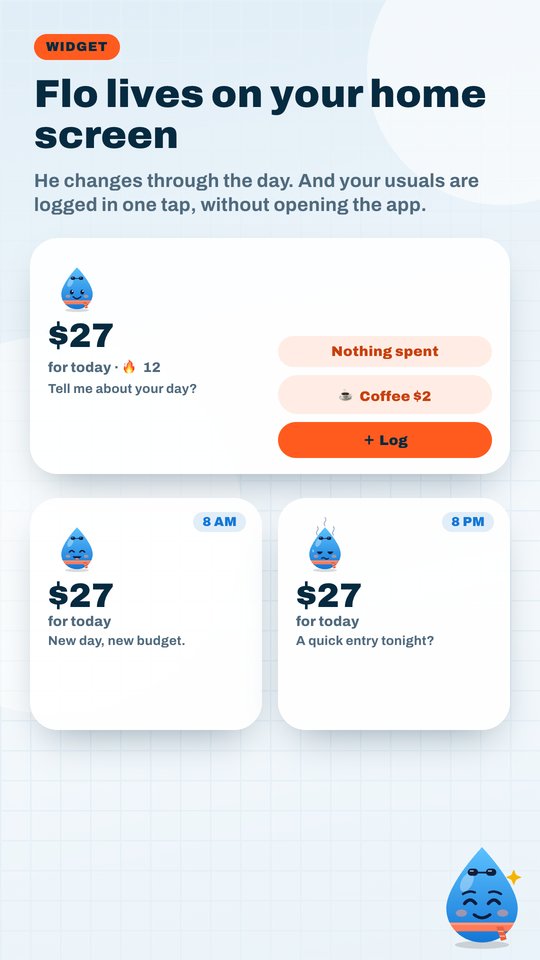
- Home screen widget
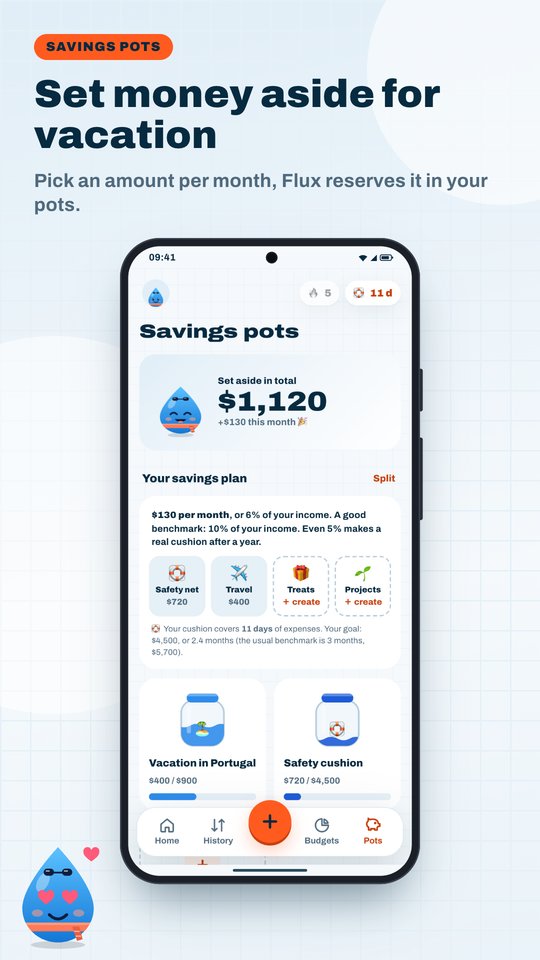
- 4 savings pots
Your data stays on your phone
No bank connection, no account, no email. You log your expenses yourself, or import your bank's CSV statement, which is read on your phone. No ads, and no tracking in the app.
Flux+ is paused for now. If you already subscribe, nothing changes: you keep Flux+ and can cancel at any time. Details in the terms of sale (in French).
Frequently asked questions
Is Flux really free?
Yes. The daily budget, logging, fixed bills, the lessons, statement import, history, export, reminders and the streak are free, with no time limit and no ads.
What are the lessons?
Your path, in Flux: 14 two-minute lessons in four parts (know where your money goes, make it to the end of the month, your cushion, the expensive moments). Each lesson ends with a question, with no grade and no wrong answers held against you, then one action in your own budget. They cover everyday budgeting, never investments. A lesson waits for you on the home screen every day, and you can do several in a row.
Why not connect my bank?
To know what you can spend today, your bank credentials are not needed. Logging an expense takes a few seconds, and you can import your bank's CSV statement whenever you like: the file is read on your phone, nothing is sent.
Where is my data?
On your device. Flux works without an account, and you can export your data whenever you like. Everything is explained in the privacy policy (in French).
Does Flo really learn from my spending?
Yes, and only on your phone. When you fix a category, Flo remembers it for next time. He also learns the days you spend the most, and your daily budget takes that into account. In Profile, "What Flo knows about you" shows everything he has learned. None of it goes out over the Internet, and your backup takes it along.
Does it work on iPhone?
Yes. The iPhone app comes out on the App Store on November 17, with its widget and Apple Watch app. You can already pre-order it: it's free, and it will install itself that day. Until then, in Safari: open fluxbudget.fr/app, then Share > Add to Home Screen. Flux then opens like an app.
And on Android?
The Android app is coming soon to Google Play: leave your email to be told when it is out (page in French), or test it before everyone else: two clicks, join the testers group, then become a tester. In the meantime, Flux works in Chrome, and you can add it to your home screen from the browser menu.
Flux is on Google Play, with the daily budget widget and reliable reminders. It also works in Chrome, with nothing to install.
Who makes Flux?
Paul Janisson, an independent developer in Toulouse, France. A question, an idea: contact@fluxbudget.fr.
Your first daily budget in one minute. No account to create.
Open Flux in your browser